Conditional Logic Automations: When to Use n8n vs Shopify Flow
Shopify Flow has evolved into a powerful automation engine, especially for Plus merchants and B2B manufacturers. With multi-branching, advanced conditions, HTTP requests, Send Admin API Requests, Run Code parsing, and native Shopify triggers, Flow covers a huge range of operational workflows without needing external tools.
But for complex cross-system logic, deep data transformations, or manufacturing-grade orchestration, n8n is still the more appropriate powerhouse.
Below is a refined breakdown of when to choose which.
When Shopify Flow Is the Better Choice
1. Your automation stays inside Shopify
Flow is great when your logic revolves around:
Orders
Customers & B2B companies
Inventory & variants
Pricing and tagging
Approvals and internal admin steps
Product updates or merchandising logic
Flow can automate all of these with zero external operations.
2. You need branching, but not multi-system orchestration
Flow’s multi-branching logic now handles:
Multiple “if/else” paths
Nested checks
Conditional updates
Scheduled workflows
Event-driven triggers across Shopify
Perfect for Shopify-centric business rules without requiring an external logic engine.
3. You want to use Shopify-native API actions
Flow now supports two powerful integration methods:
Send HTTP Request (Grow, Advanced, Plus)
Good for pushing Shopify events to:
3PLs
Notification services (e.g., SendGrid)
Airtable
Simple external endpoints
Real-world HTTP request templates include:
Notify fulfillment providers when orders are tagged “Warehouse”
Send new orders to Airtable
Sync all or unsynced products to Airtable every 10 minutes
Update products in batches from Airtable
Notify customers of expiring gift cards via SendGrid
Send transactional emails for custom items via SendGrid
These are great examples of “lightweight external integrations” where Flow excels.
4. You need direct Shopify API updates using Send Admin API Request
This action allows Flow to directly mutate Shopify data, no custom app required.
These templates demonstrate powerful internal Shopify automations:
✔ Add a free (100% discounted) item to new orders
Checks if the item is in stock, applies a 100% discount, and updates the order without notifying the customer.
Useful for:
Surprise-and-delight gifts
Free sample promotions
Automated product testing campaigns
✔ Allow ordering for companies created by B2B account requests
Automatically assigns ordering permissions when a new company is approved.
Perfect for:
B2B onboarding
Reducing manual admin
Ensuring new accounts get immediate access
✔ Change product template based on variant inventory
Automatically switches product templates:
Default template (in stock)
Out-of-stock template
Partial-stock template
Useful for:
Redirecting customers to waitlists
Highlighting made-to-order workflows
Increasing conversion during low-stock periods
✔ Fulfill digital items automatically
Marks digital or non-physical items as fulfilled.
Useful for:
Downloadable files
Warranty cards
Licenses or activation codes
These use cases show where Flow replaces custom backend apps entirely.
Summary: When Flow Is Enough
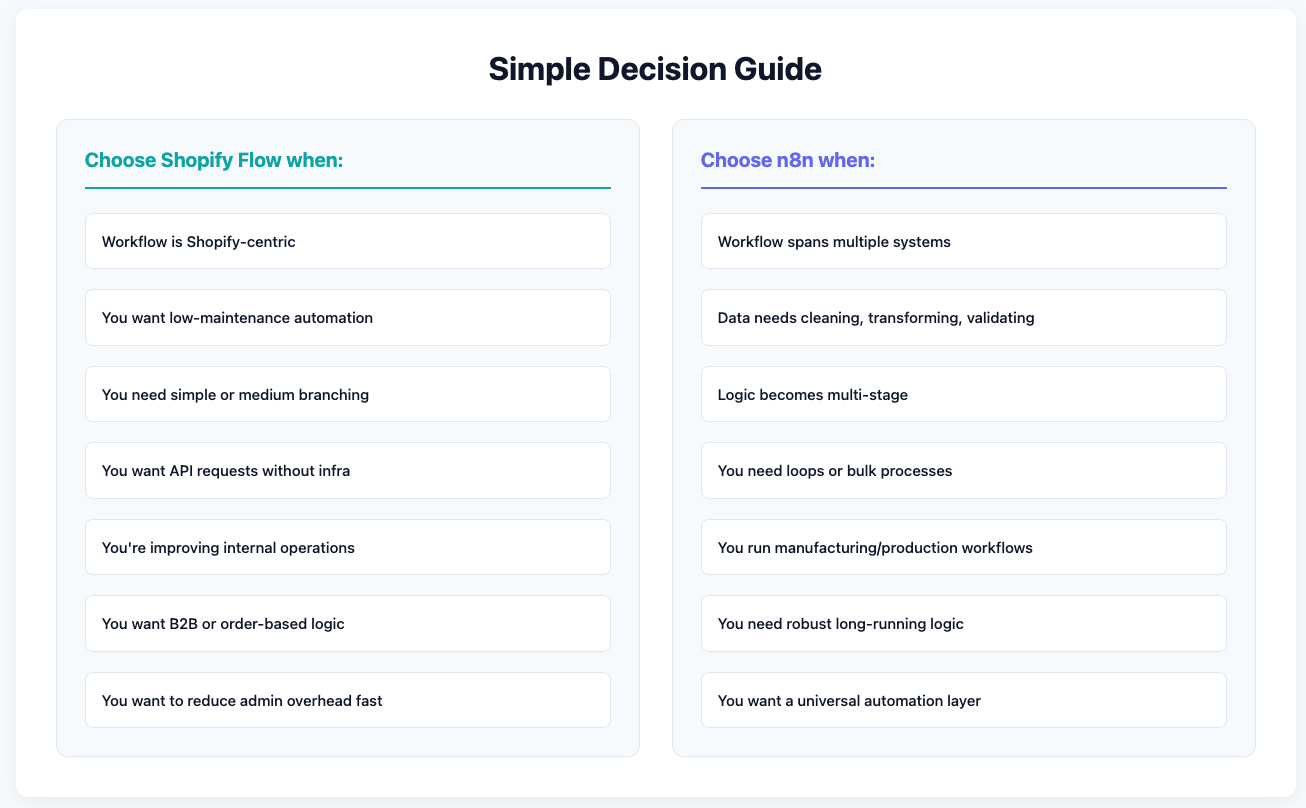
Flow is often the right tool when:
The automation concerns Shopify events
Logic is moderately complex but not multi-step across systems
Data stays in Shopify
You want API capabilities without infrastructure
You’re a Plus merchant using B2B features
You need conditional approvals, tagging, updates, or customer/company logic
You want easy wins without architecture overhead
When n8n Is the Better Choice
Despite Flow being powerful, manufacturers and distributors often need more than Shopify-only automation.
Use n8n when workflows cross multiple systems
Examples:
ERP (NetSuite, Acumatica, Business Central)
PIM/DAM (Salsify, Pimcore)
CRM (HubSpot, Salesforce)
WMS or 3PL APIs
Custom internal pricing engines
Flow can send one request.
n8n can manage entire data pipelines.
Use n8n when logic becomes engineering-grade
n8n handles:
Complex nested logic
Multi-step workflows
Error retries
Waiting for async events
Human-in-the-loop approvals
Branching into many conditions
Data transformations across multiple payloads
Flow = Shopify logic.
n8n = full business logic engine.
Use n8n when you need long-running workflows
Production operations often require:
Multi-day approval
Scheduled batch processes
Polling external systems
Waiting for ERP syncs
Multi-step production or quoting pipelines
Flow cannot wait beyond 24 hours or orchestrate long processes.
n8n is built for it.
Use n8n when doing data-heavy or geometry-heavy automations
For example:
Transforming product data from ERP before pushing to Shopify
Calculating pricing based on CAD/geometry (volume, surface area)


.png)

.png)
