


.png)
3D printing companies that run their own equipment often assume they need a specialized manufacturing platform. In reality, Shopify already supports many of the requirements for in-house, on-demand production. With the right configuration, it can manage uploads, automate pricing, organize production steps, and create a clear customer experience.
If your team prints everything in house, this guide gives you practical ways to use Shopify as the front end for orders and the backbone for your internal workflow.
3D printing is a unique mix of ecommerce, engineering, and custom job processing. You need file intake, configuration options, automated cost calculation, and a smooth handoff to internal production.
Shopify provides a strong starting point:
This combination gives 3D printing shops a simple customer experience on the front end and a structured workflow on the back end.
Since printing is done in house, file intake needs to be predictable, organized, and compatible with your review process.
Shopify includes a Files section in the admin where you can upload and manage images, videos, 3D models, PDFs, and other file types. These files can be used for product media, theme assets, content pages, and metafields. Files are stored on Shopify’s CDN, which keeps them fast and accessible.
For product media, Shopify allows images, videos, and 3D models to be added directly to a product. Customer-facing file upload fields, such as forms that let shoppers submit STL or OBJ files, are not included by default. Instead, metafields are often used to attach internal files to products or variants, for example template files, technical documents, or standard design references.
If you want customers to upload their own files, such as STL or CAD files for custom prints, you generally need a third-party product options app or a custom-built form. These tools integrate with Shopify and handle the upload interface, validation, and storage, while still keeping everything compatible with your Shopify order workflow.
When your workflow requires multiple uploads or large CAD files, option apps provide a better experience:
Supports text fields, file uploads, color swatches, variant images, dropdowns, checkboxes, add-on pricing, and conditional logic. It also removes Shopify’s 100-variant limit, enabling unlimited configurations.
Good for advanced forms, complex logic, and multiple input types.
These apps automatically apply pricing logic when the shopper selects configuration options. The correct total flows into Shopify checkout and arrives cleanly in the order.
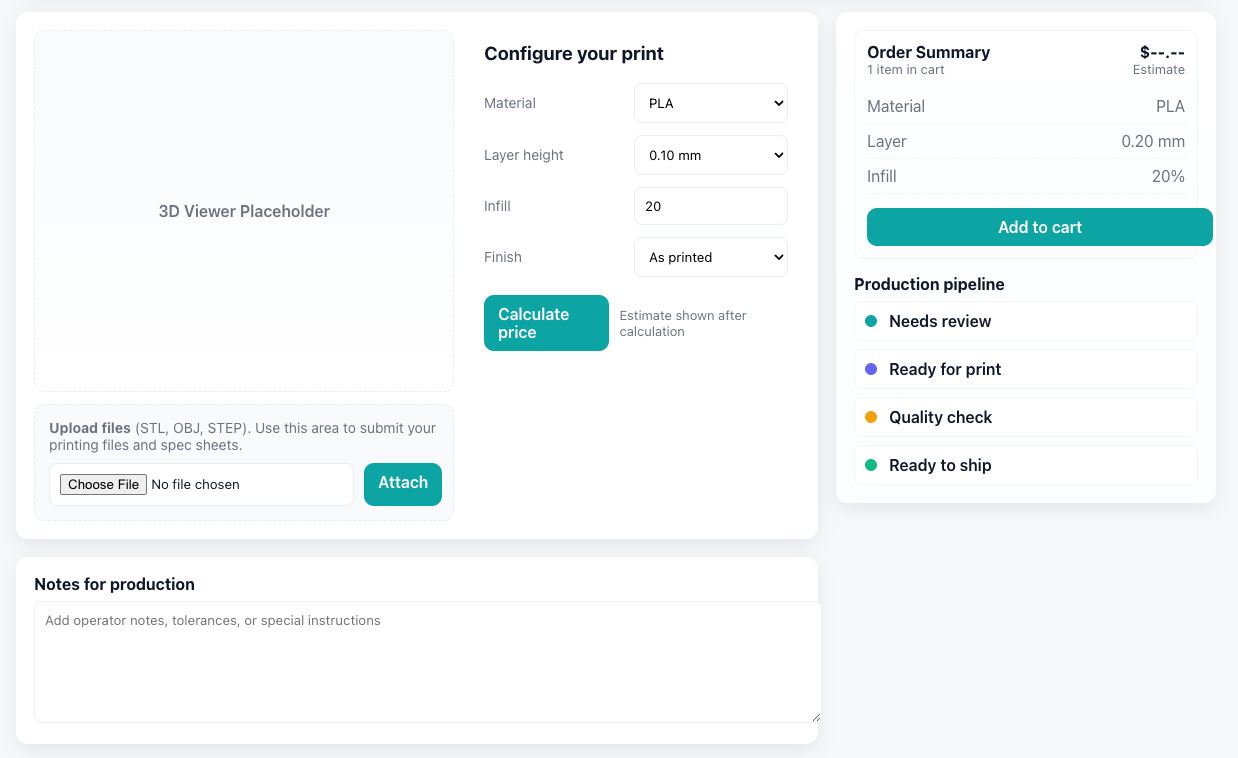
Shops that print in house generally offer choices like:
Shopify handles these options in three main ways:
Best for simple options like material or color.
Useful when you need to store technical values that will be consumed by your automation or pricing logic, for example density multipliers or material category.
Apps like Globo or Easify allow infinite configurations and conditional fields. For example, if a customer picks a resin material, you can show only relevant color options.
Some stores include a simple STL or OBJ viewer in their theme using JavaScript. This lets customers preview the part and gives your team additional metadata, such as volume or bounding box, if connected to your pricing engine.
Unlike stores that send jobs to external services, in-house production requires pricing that reflects your actual material consumption, machine time, and labor.
There are two main paths.
If your workflow is configuration based rather than geometry based, apps like Globo or Easify can calculate add-on pricing directly.
For example:
This pricing is included when the customer adds the item to the cart and flows through to the final Shopify order automatically.
If your needed pricing depends on metrics like volume, bounding box, estimated print time, or support density, Shopify can integrate with your internal estimator.
You can use:
Triggers internal actions when files are uploaded or orders are created.
Flow is ideal for:
Handles geometry analysis by reading the file, calculating volume, and returning a price. This is useful for stores with established internal logic or printers that calculate based on machine type or resin usage. Another approach is using a custom Liquid and JavaScript setup in the storefront, where the price updates based on the customer’s configuration. This information can then be saved to the order details so your team receives the correct print parameters.
Best for connecting Shopify to your internal pricing scripts, CAD tools, slicers, or engineering folders.
n8n can grab the uploaded file, send it to your estimator, retrieve the calculated cost, and update a draft order or add internal notes for your team.
Flow manages Shopify-native actions, while n8n handles external or technical processing.
Because you print everything yourself, internal workflow matters as much as customer experience.
Shops typically manage production with a combination of:
For example:
Your team can record print settings, version notes, operator comments, or machine assignments.
Flow can add tags when certain conditions match, notify the team when a file or order is submitted, or move orders into different stages based on internal updates.
If you use internal systems such as slicers, ERP, shared drive folders, or an MES, n8n can sync file downloads, print queue assignments, estimated print times, or status updates back to Shopify.

In-house print shops often work with engineering teams, product developers, and companies needing ongoing prototypes or small batch runs. Shopify already supports this well.
Useful features include:
These tools make it easy to handle repeated prints of the same design or variations on a standard part.
A 3D printing business that prints everything in house does not need a specialized ecommerce platform. Shopify already provides the front end, checkout, and operational flexibility. Option apps enhance product configuration, Shopify Flow powers native automation, and n8n connects your internal production tools.
With this setup, your customers get a smooth and predictable process and your team gets a workflow that is clear from file upload through production and shipment.

.png)
