

.jpg)
.png)
Most manufacturers treat new customer onboarding as a back-office task. Someone receives the account request. They pass it to credit. Credit reviews it. Someone creates the ERP record. Someone assigns the pricing tier. Someone provisions portal access. Someone sends a confirmation.
Seven steps. Three departments. Four to five business days.
That is not a process. It is a series of handoffs held together by email.
Every day a new account spends waiting to be set up is a day they are not placing orders. The decision to buy has already been made. The relationship has been established. The delay is entirely operational, and it is entirely preventable.
This post walks through what a fully automated customer onboarding workflow looks like in n8n, what it requires before you build it, and what changes once it is live.
Before building anything, count the steps. At a typical mid-market manufacturer or distributor, new customer onboarding looks like this:
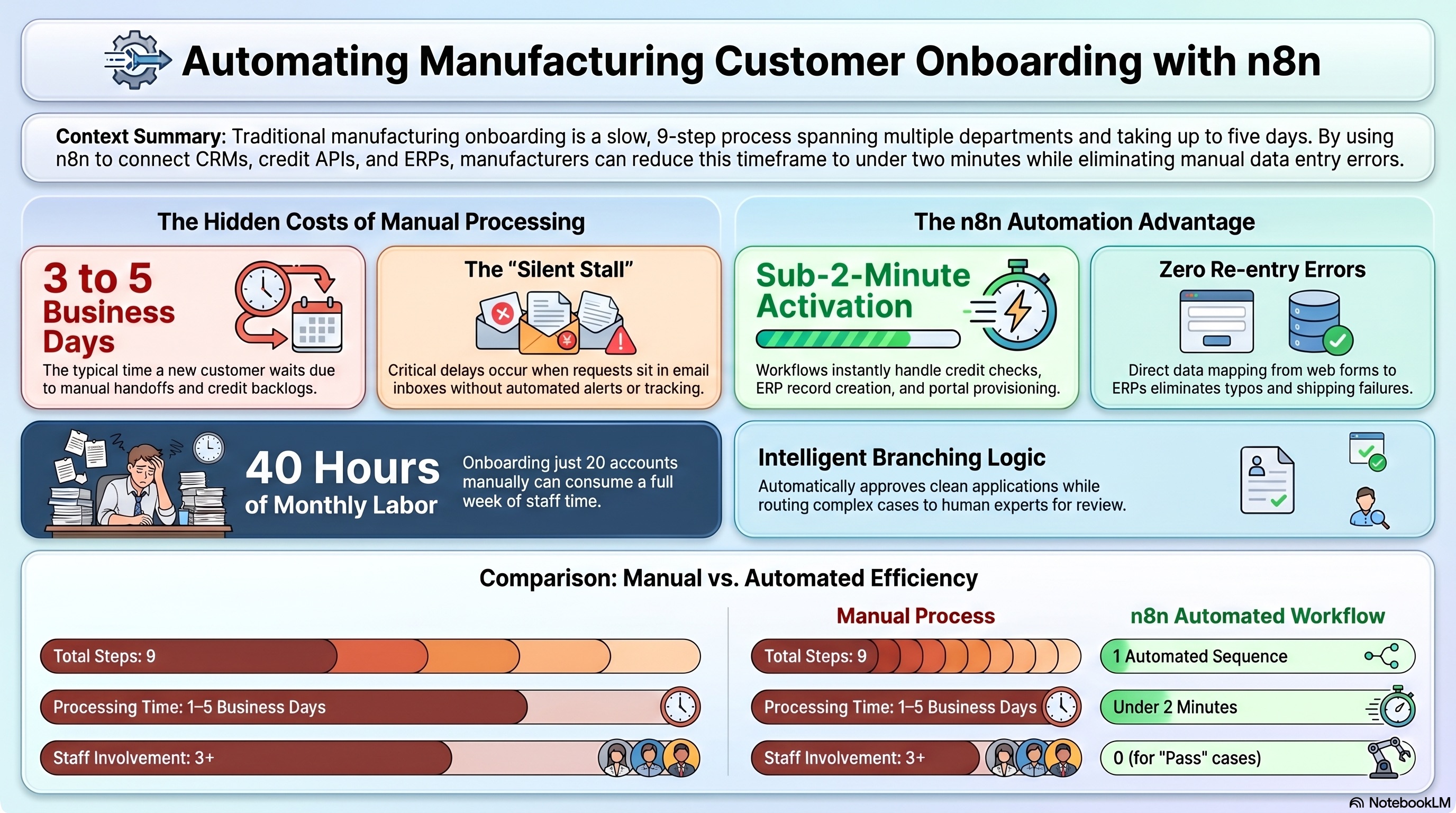
Nine steps. At least three people. A minimum of one full business day for a fast credit review, three to five days when the credit team has a backlog. At 20 new accounts per month, that is two to four weeks of combined staff time to process onboardings that could complete automatically in under two minutes.
Manual onboarding does not just take time. It fails in predictable, recurring ways.
The handoff gap. Each step requires someone to notice a request has arrived and pass it to the next person. Email is the default mechanism. Email gets missed. The credit team does not know the request is waiting until they find it. The coordinator does not know the decision came back until they check.
The re-entry error. Account details are entered once in the CRM and again in the ERP. Typos happen. Address formats differ between systems. A wrong postal code creates a failed shipment and a customer service call on the first order.
The unwritten pricing rule. Pricing tier assignment often happens by memory. The coordinator knows that accounts over a certain size get Tier 2. But that rule is not documented anywhere formal, and it is inconsistently applied when the coordinator who knows it is unavailable.
The portal provisioning gap. If customer portal access is provisioned manually, it happens last. Sometimes a full day after the ERP record is live. The customer receives the confirmation email but cannot log in yet.
The silent stall. A credit application goes to review and nothing happens automatically. No alert fires. No follow-up goes out. The applicant hears nothing until they call their sales contact, who has to chase the credit team internally.
An n8n workflow replaces every handoff with a direct, documented connection between systems. Here is what each node does.
The workflow fires when a web form is submitted, when a CRM deal reaches the "onboarding" stage, or when a contact is tagged with the correct account type. The trigger is the only event that initiates the process. No one has to notice the request came in.
n8n sends the company name and address to a credit check API via an HTTP request. Experian B2B, Creditsafe, and similar providers all offer REST APIs that return structured JSON responses. The call takes seconds. The response includes a status field (pass, review, or fail) and a numerical score that drives the next step.
Based on the credit status, the workflow branches into three paths:
On the pass path, n8n calls the ERP API and creates the customer record. All fields map directly from the form submission: company name, billing address, contact information, account type, payment terms. Nothing is typed twice.
The correct pricing tier is assigned by a business rule encoded in the workflow. Account type A gets Tier 1. Account type B above a credit score threshold gets Tier 2. Volume-based adjustments apply if projected order size exceeds a defined threshold. These rules are defined once in the workflow and applied consistently on every account from that point forward.
n8n calls the customer portal API to create the account and send credentials as part of the same workflow sequence. The customer has login details before the confirmation email arrives.
A confirmation email goes to the new customer automatically, pulling account number, representative name, and portal credentials from the records just created. A notification goes to the sales rep confirming the account is live.
For clean applications, the entire sequence completes in under two minutes. No one reviews it. No one touches it.
For review cases, the credit team receives one structured alert per application with everything needed to make a decision. No forwarded emails. No information hunting. One click resolves the case.
For your team, the hours previously spent on clean onboardings shift to accounts that actually require judgment: complex credit structures, non-standard pricing, international accounts, and account disputes.
For new customers, the experience shifts from several days of silence to a confirmation arriving within minutes. For an industrial buyer evaluating multiple suppliers simultaneously, that difference is noticeable.
Your business rules must be written down. Pricing tiers assigned by memory cannot be automated correctly. Before the build starts, document the rules: which account types get which tier, at what threshold, under what conditions, and who can override them.
Your ERP needs an accessible API. Most modern ERPs (NetSuite, Epicor, Acumatica, Sage Intacct) have documented REST APIs. Some legacy systems require a middleware layer or custom connector. Identify what access your ERP supports before scoping the build.
The review path needs a defined owner. The automation handles clean applications without human involvement. Review cases still require a person to act within a defined window. Identify who that is, set a response SLA, and configure an escalation path in the workflow before going live. A review case that sits because no one knows they are responsible for it produces a worse outcome than the original manual process.
Map your own onboarding against the nine steps above. Where does it stall? That stall point is the first node worth building.
Book a free call and we will walk through your onboarding process and scope what the build requires.

.png)
