

.jpg)
.png)
In B2B and technical workflows like 3D printing, CNC, fabrication, or custom manufacturing, customer approval steps often slow operations down. Shopify Flow helps streamline this by automating the way new customers are reviewed and approved, especially for stores that use Shopify’s B2B features.
Flow lets you build workflows that respond when a customer applies, requests account access, or is created in your system. For example, if you run a B2B store where buyers must be vetted before receiving pricing or placing orders, Flow can automatically sort applicants, tag them, assign them to companies, and send access emails without manual intervention.
Manufacturing and 3D printing businesses often rely on customer approvals before buyers can access pricing, submit files, or place orders. This step is usually owned by Sales, Admin, or Account Management teams, and it can become a significant bottleneck if managed manually.
Automating this workflow with Shopify Flow helps reduce delays, maintain consistency, and improve operational efficiency across the business.
In many manufacturing companies, every new customer needs to be checked before granting access to:
Without automation, teams manually verify applications, assign tags, create company profiles, and communicate approvals. Over time, this becomes a high-volume administrative burden.
Flow eliminates repetitive tasks, allowing Sales and Admin teams to focus on higher-value work such as quoting, managing accounts, and supporting customers.
Industries like medical device production, prototyping, industrial tooling, and additive manufacturing typically require customers to meet certain criteria before they can place an order.
These criteria might include:
Flow can automatically evaluate these attributes and decide whether the customer qualifies, which reduces back-and-forth and speeds up onboarding.
Manual approval workflows often lead to errors such as:
Flow enforces a consistent onboarding process. Every applicant moves through the same logic, which improves data integrity and ensures internal teams always see accurate information.
Delays in approval slow down ordering, quoting, and ultimately production. For businesses offering custom manufacturing, 3D printing, or on-demand fabrication, a slow approval step directly delays revenue.
Flow helps customers gain access as soon as they meet the criteria, which speeds up the path to quoting and production.
As order volume and customer applications grow, manual approval becomes increasingly difficult to manage. Automation allows the business to scale without expanding administrative headcount.
Using Flow, you can set up logic such as:
This creates a consistent and predictable onboarding experience for both internal teams and customers.
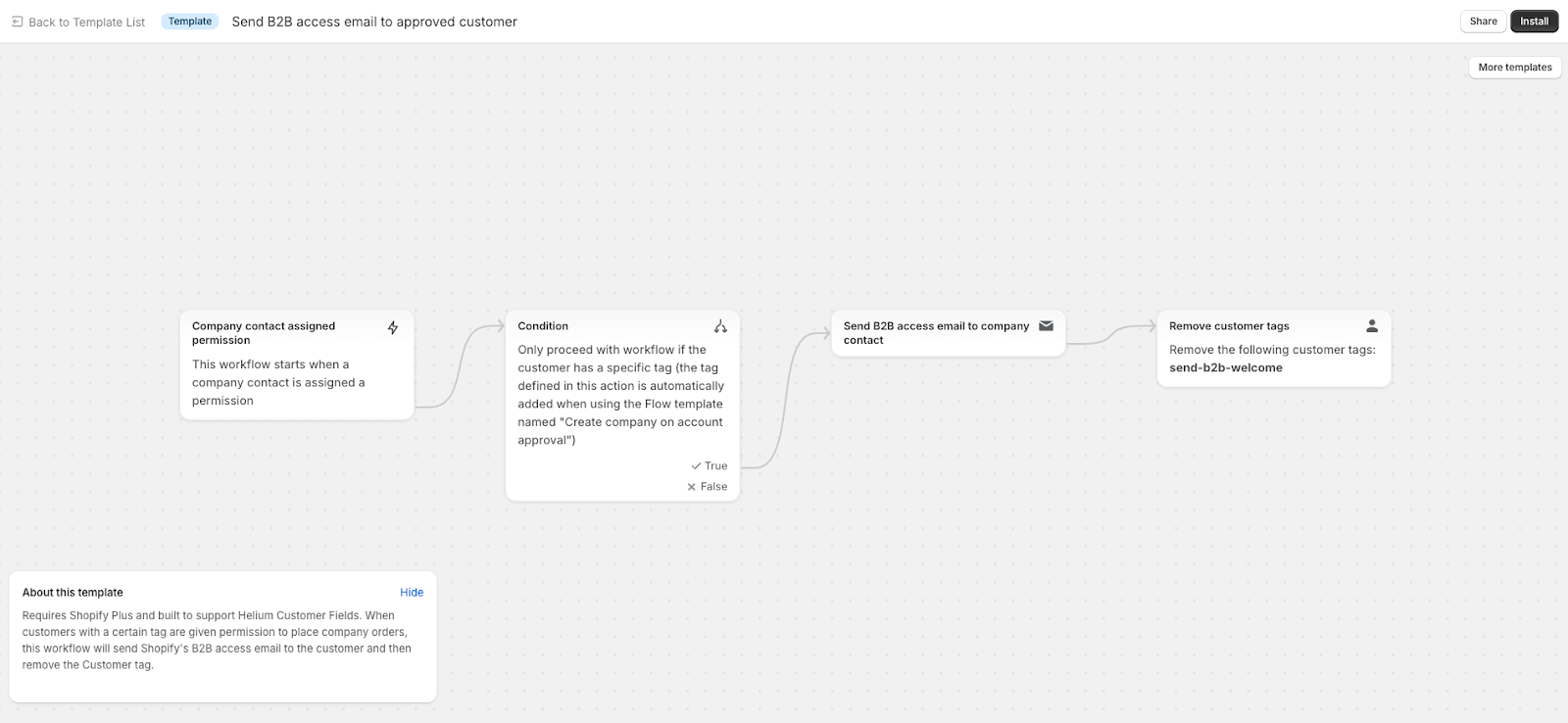
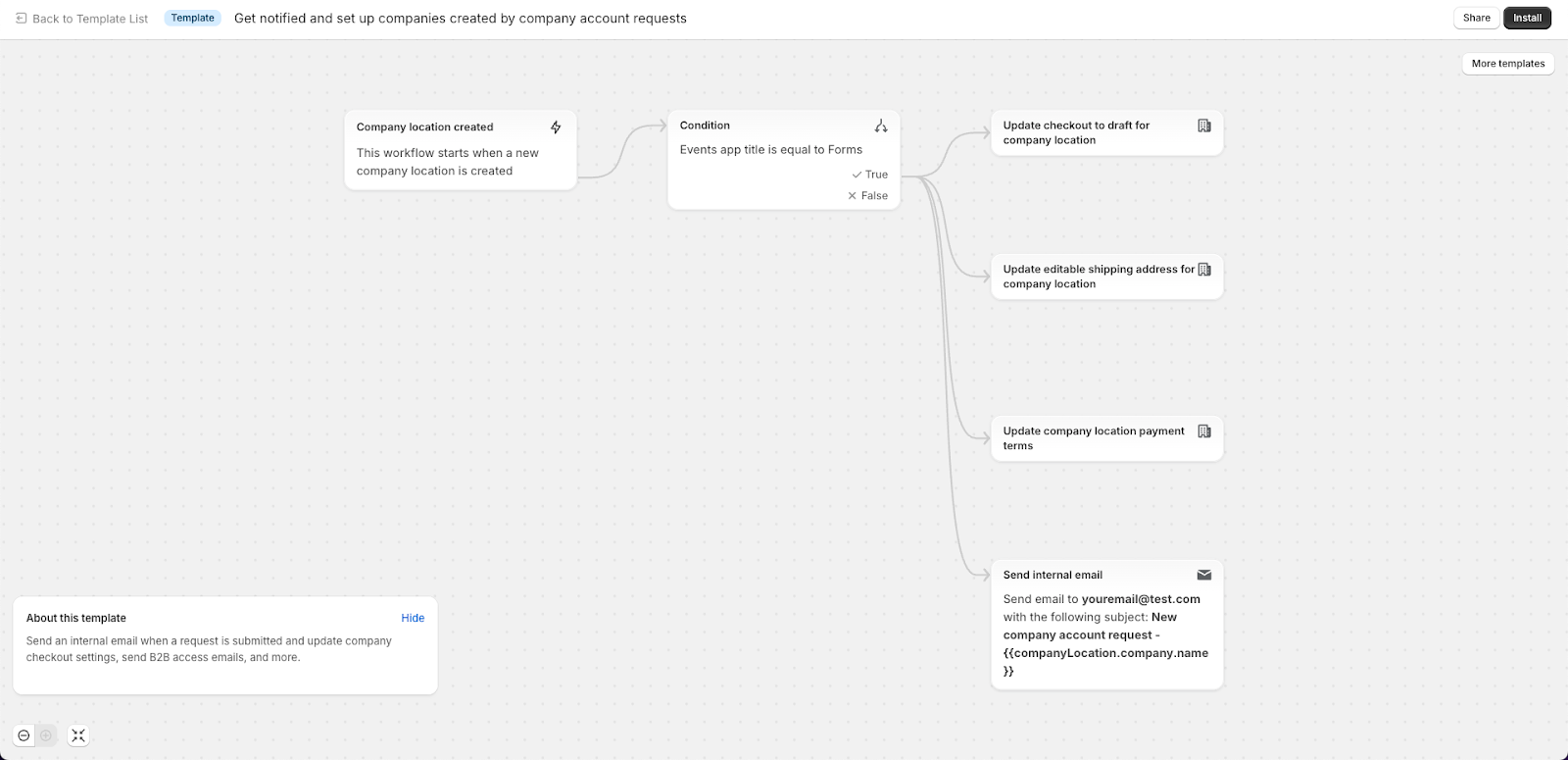
Using Flow keeps the onboarding process structured and consistent, which is especially useful when approvals feed directly into production workflows later, such as unlocking access to custom product ordering, bulk pricing, or file upload functionality.

.png)
